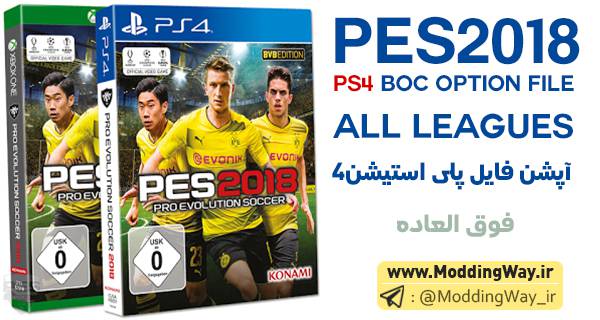
در این پست نسخه کامل و عالی پچ BOC Option File برای PS4 که مخصوص بازی PES2018 میباشد را میتوانید با حجم 490 مگابایت و بالینک مستقیم دانلود کنید.
PES 2018 BOC Option File 1.4 all in one
از مهمترین ویژگی های این پچ میتوانیم به فول لایسنس بودن لیگ های انگلیس و ایتالیاو فرانسه و المان و هلند و مکزیک و برزیل و چین و ... و اضافه شدن کیت های تیم های باشگاهی و ملی و ... اشاره کرد.
این پچ فعلا کاملترین و بهترین پچ منتشر شده برای کنسول PS4 میباشد که تا کنون در اختیار شما قرار گرفته است !
نکته مهم:
به نسخه های قبلی اصلا نیازی ندارد و درصورتی که از قبل پچ نصب کردید باید ان را حذف و سپس پچ جدید را جایگزین کنید
ویژگی:
✔️ اصلاح کیت های سری آ ایتالیا
✔️ اصلاح مشکل کیت ارسنال
✔️ اضافه شدن کیت سوم تیم های باشگاهی معروف [جدید]
✔️ اصلاح باگ های ورژن قبل
✔️ اضافه شدن کیت سوم برخی تیم ها
✔️ حذف برخی بازیکنانی که دوتایی بودند
✔️ فول لایسنس لیگ برتر انگلیس
✔️ فول لایسنس بوندسلیگای آلمان
✔️ فول لایسنس سوپر لیگ چین
✔️ فول لایسنس لیگ یک فرانسه
✔️ فول لایسنس سری آ ایتالیا
✔️ فول لایسنس لیگ اردیویژه هلند
✔️ فول لایسنس لیگای اسپانیا
✔️ فول لایسنس لیگ 123 اسپانیا
✔️ فول لایسنس لیگ پرتر پرتغال
✔️ فول لایسنس لیگ مکزیک
✔️ فول لایسنس لیگ ارژانتین
✔️ فول لایسنس لیگ برزیل
✔️ فول لایسنس سوپرلیگ چین
✔️ فول لایسنس تیم های ملی
✔️ آپدیت تیم های کلاسیک
✔️ آپدیت کامل تیم های Other Europa
سازنده: Various Editors
حجم: 490 مگابایت
رمز: moddingway.ir
[box type="shadow" align="" class="" width=""]
لینک دانلود:
لینک مستقیم | Direct Link - سرور 1
لینک مستقیم | Direct Link - سرور 2
لینک دانلود کمکی | UploadBoy Link – سرور 3
[/box]
[box type="success" align="" class="" width=""]
آموزش نصب پچ PS4 برای PES2018:
1. Download the RAR File in link above an extract it on your PC / Notebook etc. If you get an error regarding a corrupted file etc, get yourself an up2date version of Winrar.
2. In the RAR file, there are two folders:
A) "Apply without no box ticked"
B) "Apply with 2nd Box ticked"
3. I suggest to use two different USB flash drives (each formatted with FAT32
4. Inside the folder A and B there is each a WEPES folder with all exports.
5. Copy each WEPES Folder to one of the USB flash drives.
6. If you want to use only one USB drive, you have to copy the exports of A first, than delete everything on the flash drive and copy the files of B onto your drive and import it into PES.
7. Now start the game and go into EDIT Mode and into import area.
8. To import the files, I sugest to start with the ones that don't need to have any box ticked. Import Competitions first and the teams afterwards. Each time, select all competitions / teams and simply import them without ticking any of the three boxes.
9. If there occurs an copy error, keep in mind which competition or team failed to be imported. Try it again and select all teams starting with the one that failed and copy again, I suggest to tick this time the 3rd box (overwriting existing images with the same name).
Once this is complete, import the files which need to have the second box (player and squad data) ticked.
10. Simply select all teams and tick the second box and import all files.
If an importing error occurs, repeat it the same way like described before, but tick 2nd and 3rd box.
11. After Importing the Number of teams for Bundesliga (18), Liga Mx (18), CSL (16) have to be changed and the teams arranged in the competition settings menu.
[/box]